
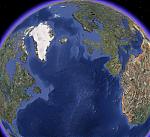

هذا مثال على ذلك
<!DOCTYPE HTML PUBLIC "-//W3C//DTD HTML 4.01//EN" "http://www.w3.org/TR/html4/strict.dtd">
<html>
<head>
<meta http-equiv="Content-Type" content="text/html; charset=utf-8">
<!--The viewport meta tag is used to improve the presentation and behavior of the samples
on iOS devices-->
<meta name="viewport" content="initial-scale=1, maximum-scale=1,user-scalable=no"/>
<title>
Overview Map
</title>
<link rel="stylesheet" type="text/css" href="http://serverapi.arcgisonline.com/jsapi/arcgis/2.1/js/dojo/dijit/themes/claro/claro.css">
<style>
html, body { height: 100%; width: 100%; margin: 0; padding: 0; }
</style>
<script type="text/javascript">
var djConfig = {
parseOnLoad: true
};
</script>
<script type="text/javascript" src="http://serverapi.arcgisonline.com/jsapi/arcgis/?v=2.1">
</script>
<script type="text/javascript">
dojo.require("dijit.layout.BorderContainer");
dojo.require("dijit.layout.ContentPane");
dojo.require("esri.map");
dojo.require("esri.dijit.OverviewMap");
var map;
function init() {
var initExtent = new esri.geometry.Extent({
"xmin": -13635568,
"ymin": 4541606,
"xmax": -13625430,
"ymax": 4547310,
"spatialReference": {
"wkid": 102100
}
});
map = new esri.Map("map", {
extent: initExtent
});
//Add the topographic layer to the map. View the ArcGIS Online site for services http://arcgisonline/home/search.html...ywords:service
var basemap = new esri.layers.ArcGISTiledMapServiceLayer("http://server.arcgisonline.com/ArcGIS/rest/services/World_Topo_Map/MapServer");
map.addLayer(basemap);
//resize the map when the browser resizes - view the 'Resizing and repositioning the map' section in
//the following help topic for more details http://help.esri.com/EN/webapi/javas...guidelines.htm
var resizeTimer;
dojo.connect(map, 'onLoad', function(theMap) {
dojo.connect(dijit.byId('map'), 'resize', function() { //resize the map if the div is resized
clearTimeout(resizeTimer);
resizeTimer = setTimeout(function() {
map.resize();
map.reposition();
}, 500);
});
//add the overview map
var overviewMapDijit = new esri.dijit.OverviewMap({
map: map,
visible:true
});
overviewMapDijit.startup();
});
}
dojo.addOnLoad(init);
</script>
</head>
<body class="claro">
<div dojotype="dijit.layout.BorderContainer" design="headline" gutters="false"
style="width: 100%; height: 100%; margin: 0;">
<div id="map" dojotype="dijit.layout.ContentPane" region="center" style="overflow:hidden;">
</div>
</div>
</body>
</html>



 رد مع اقتباس